Understand Automation Logs
Automation Logs are a feature in the GlobalAI platform's automation module. They provide a complete audit trail for your automation environment, which helps you track changes and maintain accountability.
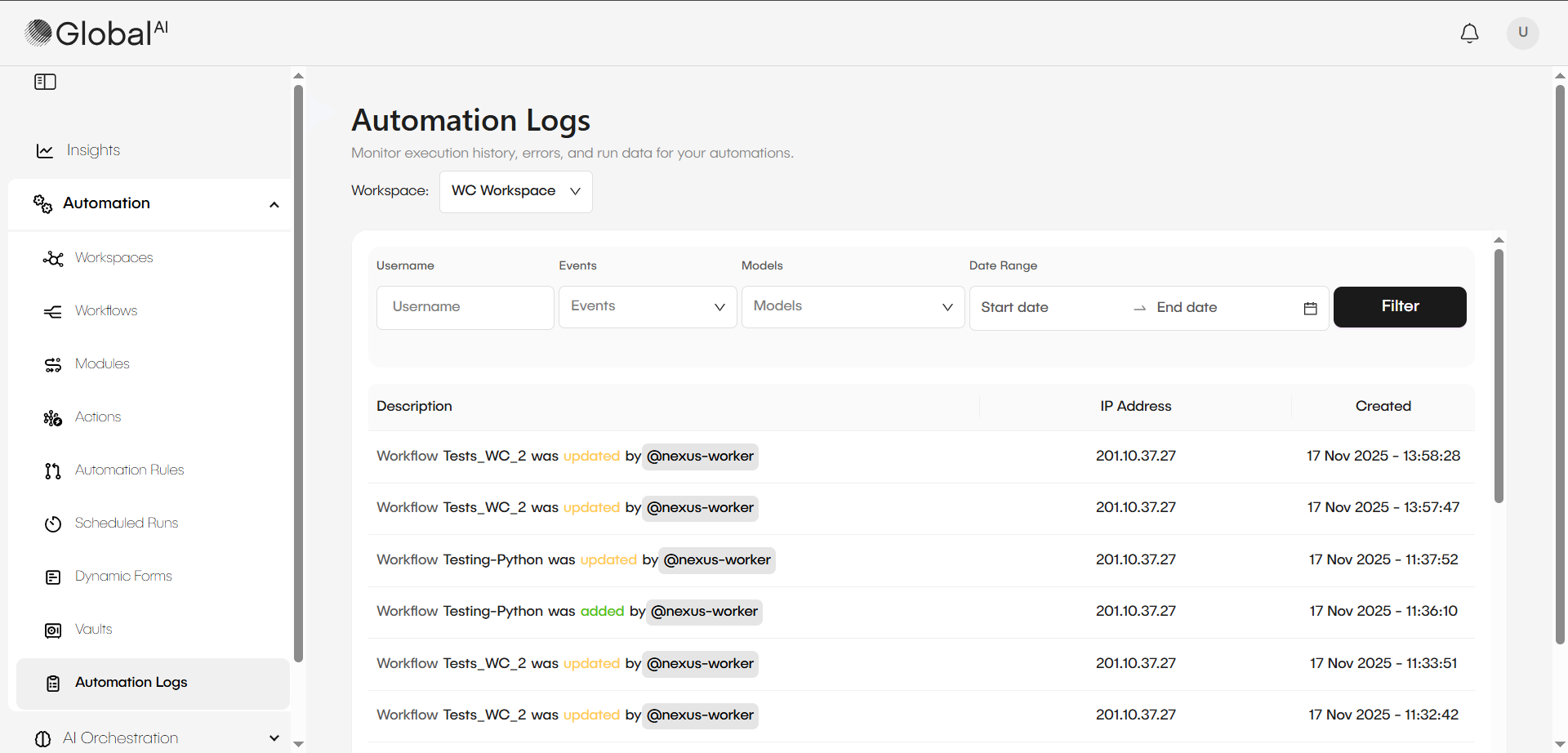
Review log content
Automation Logs capture a detailed history of all changes in your environment. This record helps you maintain compliance and full visibility. Each log entry includes important context about the modification:
- Complete modification history: Every change made to your automation components
- User attribution: Detailed information about who made each modification
- Timestamp tracking: When each change occurred
- Change context: The scope and nature of modifications
Types of tracked modifications
The automation logs capture different types of changes, including:
- Manifest updates: Changes to automation configurations and settings
- Workflow modifications: Edits to existing workflow logic, parameters, or structure
- New workflow creation: Addition of entirely new automation workflows
- Resource changes: Updates to connected resources and dependencies
- Permission modifications: Changes to access controls and user permissions
This high-level audit tracking ensures complete visibility into your automation environment's evolution and helps maintain compliance and accountability.
Types of detailed execution records
In addition to Automation Logs, you can find other specific logs for debugging and auditing purposes.
-
Inspect workflow execution history: When you execute a workflow, the system records the complete history of the run. You can view the specific input and output data as it passes from one node to another. This feature works as a debugging tool and allows you to check the results of each step in your process.
-
Review AI Agent logs: Deployable AI agents provide audit trails to ensure complete traceability. You can use these logs to view agent sessions, track the number of tokens used, and read the full conversation history for the agent.
-
Check deployment logs: You can access detailed logs for infrastructure contexts, such as Terraform deployments. These records help you troubleshoot and identify the cause of errors if a deployment does not work as expected.
Related articles
Now that you know how to find the Automation Logs, you can explore the concepts behind them or learn about other types of logs.